Reviews
Baby Taylor Before Going To School Online Game is a charming choice for young children. The dress up section offers enough variety to encourage creativity, while the sandwich-making part adds a practical skill. The time limit is gentle and not stressful. Replay value comes from trying different outfits and ingredient combinations. It is a clean, ad-safe game that parents can feel good about.
About this game
Game Introduction
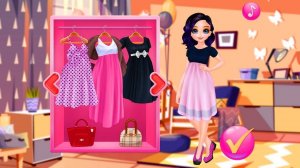
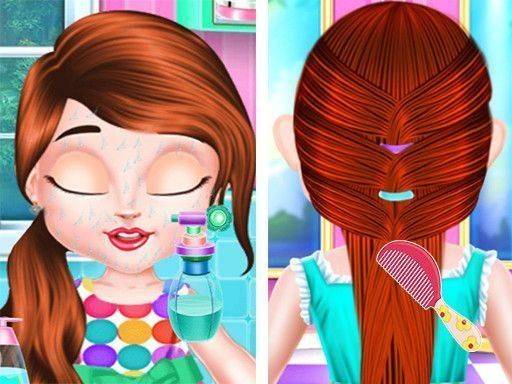
Baby Taylor Before Going To School Online Dress Up Game is a fun and educational game designed for young children. The game follows Taylor on a Monday morning as she gets ready for school. Players help Taylor with her morning routine, starting with choosing a hairstyle and then selecting a stylish outfit and accessories. Meanwhile, Taylor's mom is busy in the kitchen preparing a sandwich for breakfast. The game encourages creativity, decision-making, and time management in a family-friendly setting.
How to Play
To play, simply click or tap on the different items to interact with Taylor and her mom. Start by selecting a hairstyle for Taylor from the options provided. Then, choose a complete outfit, including tops, bottoms, shoes, and accessories. After dressing Taylor, switch to the kitchen to help mom make a sandwich. Drag and drop ingredients like bread, cheese, lettuce, and ham to build a delicious breakfast. Complete all tasks before Taylor has to leave for school. The game is intuitive and perfect for young players.
Game Features
Creative dress-up options let kids mix and match clothes and accessories. A cooking simulation section teaches basic sandwich preparation. The time management element adds gentle pressure to finish tasks before the school bell. The interface is kid-friendly with large buttons and clear visuals.
Tips for Success
To make the most of the game, encourage children to explore all the different clothing and accessory combinations. In the kitchen, try different ingredient orders to see how the sandwich looks. Practicing the routine multiple times can help improve speed and decision-making. Most importantly, let kids enjoy the creative process without worrying about time pressure.
🛠️ Compatibility
• OS: Windows 10+, macOS 11+, iOS 14+, Android 10+ • Browsers: Chrome 100+, Safari 15+, Edge 100+, Firefox 100+ • Not compatible with Internet Explorer Tested on real devices – works as expected
Advertisement
Faq
Is this game suitable for toddlers?
Yes, the game is designed for young children, typically ages 3 to 6. The simple click-and-drag controls, large buttons, and clear visuals make it easy for toddlers to play with minimal assistance from adults.
Can I play this game on a tablet or smartphone?
Yes, the game is built for online play and is touch-friendly. It works well on tablets and smartphones, as the controls are designed for tapping and dragging, making it accessible on mobile devices.
Does the game have any educational value?
Yes, the game teaches children about morning routines, decision-making, and time management. The dress-up section encourages creativity and self-expression, while the cooking simulation introduces basic food preparation concepts in a safe, virtual environment.
Are there any in-app purchases or ads?
The game is a free online dress-up game. It may include advertisements, but there are no in-app purchases required to play. Parents should supervise young children during gameplay to ensure a safe experience.
How long does a typical game session last?
A typical session lasts about 5 to 10 minutes, depending on how much time the child spends exploring different outfits and ingredients. The time management element encourages completing tasks before the school bell, but there is no strict time limit.
Can I save my child's creations?
The game does not typically include a save or share feature for outfits or sandwiches. However, children can replay the game as many times as they like to try different combinations and enjoy the routine again.