Reviews
Stack Quest: Arcade Action provides an engaging blend of puzzle and action elements. The block stacking mechanic is intuitive, and the need to respond to obstacles adds a layer of challenge. It is free, runs in the browser, and is suitable for all ages. The full screen mode enhances visibility. While it may not have deep complexity, it is a solid choice for casual fun and quick play sessions.
About this game
Game Introduction
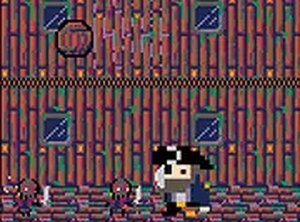
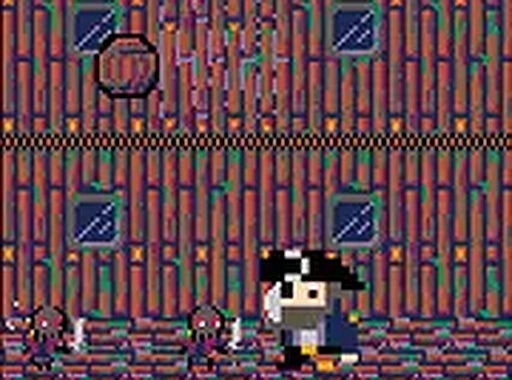
Stack Quest: Arcade Action is a free browser-based game that combines quick thinking with steady hands. Players take on the role of a character whose crew tosses blocks that must be stacked to create an escape route. The game challenges you to manage both block stacking and responding to obstacles that appear. This mix of puzzle and action gameplay requires focus and timing. Designed for desktop play, it offers a full screen mode for an immersive experience. The game is suitable for all ages and provides a fun challenge that tests your coordination and strategic planning. Explore more games like Bubble Meadow and Number Merge in our arcade section for additional family-friendly entertainment.
How to Play
To play Stack Quest: Arcade Action, use your keyboard and mouse on a desktop computer. Control your character to move, jump, and interact with the environment. Stack blocks thrown by your crew to build a path upward while managing obstacles that appear. Avoid taking too much damage by jumping over hazards and creating space. The goal is to survive and complete the task before the obstacles overwhelm you. Practice your timing and reflexes to master both block stacking and navigation. The game runs directly in your browser and supports full screen mode for a better experience.
Game Features
Fast-paced block stacking action combined with strategic navigation. Simple controls and engaging gameplay that challenges your reflexes and planning. Free to play in your browser with full screen support. Suitable for all ages and easy to learn. The game may include various obstacles that require quick reactions. It offers a fun and accessible experience for casual players and those looking for a light challenge.
Tips for Success
Focus on stacking blocks quickly and efficiently to build your escape route while keeping an eye on incoming obstacles. Practice your timing to improve both stacking speed and navigation. Stay mobile to avoid taking damage, and use the full screen mode to better see incoming hazards and block placement opportunities. Balance your attention between stacking and movement for the best results.
Compatibility
This H5 game runs smoothly on:
• Desktop computers (Windows / Mac) • Mobile phones (iPhone / Android)
• Tablets (iPad / Android)
🌐 Best experienced with Chrome, Safari, or Edge
Advertisement
Faq
Is Stack Quest: Arcade Action free to play?
Yes, the game is completely free to play. It runs directly in your web browser with no downloads or purchases required. You can start playing immediately on any desktop computer.
What platforms can I play Stack Quest on?
Stack Quest is designed for desktop play. It works on Windows, Mac, and Linux computers through a web browser. Mobile devices are not currently supported for the best experience.
Does Stack Quest have a story mode?
The game focuses on arcade-style gameplay rather than a narrative story. Players progress by completing block stacking challenges and overcoming obstacles in each session. There is no extended story campaign.
How long does a typical game session last?
Session length varies based on player skill. Beginners may play for a few minutes, while experienced players can extend their sessions by stacking efficiently and avoiding obstacles. The game is designed for quick, repeatable play.
Are there different difficulty levels in Stack Quest?
The game may include increasing challenge as you progress, but specific difficulty settings are not detailed. Players can improve their skills through practice to handle faster or more complex scenarios.
Can I save my progress in Stack Quest?
As a browser-based arcade game, progress is typically session-based. The game may not save individual game states, but players can restart and try again at any time. High scores might be tracked within the session.